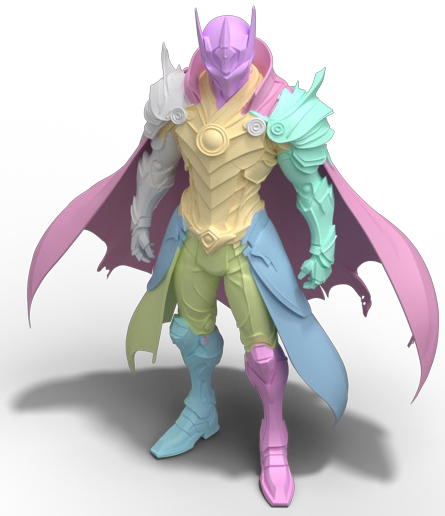
One model. Different prompts. The partition you ask for.
WHAT YOU ASK FOR IS WHAT YOU GET
Your mesh. Your parts. Your level of detail.
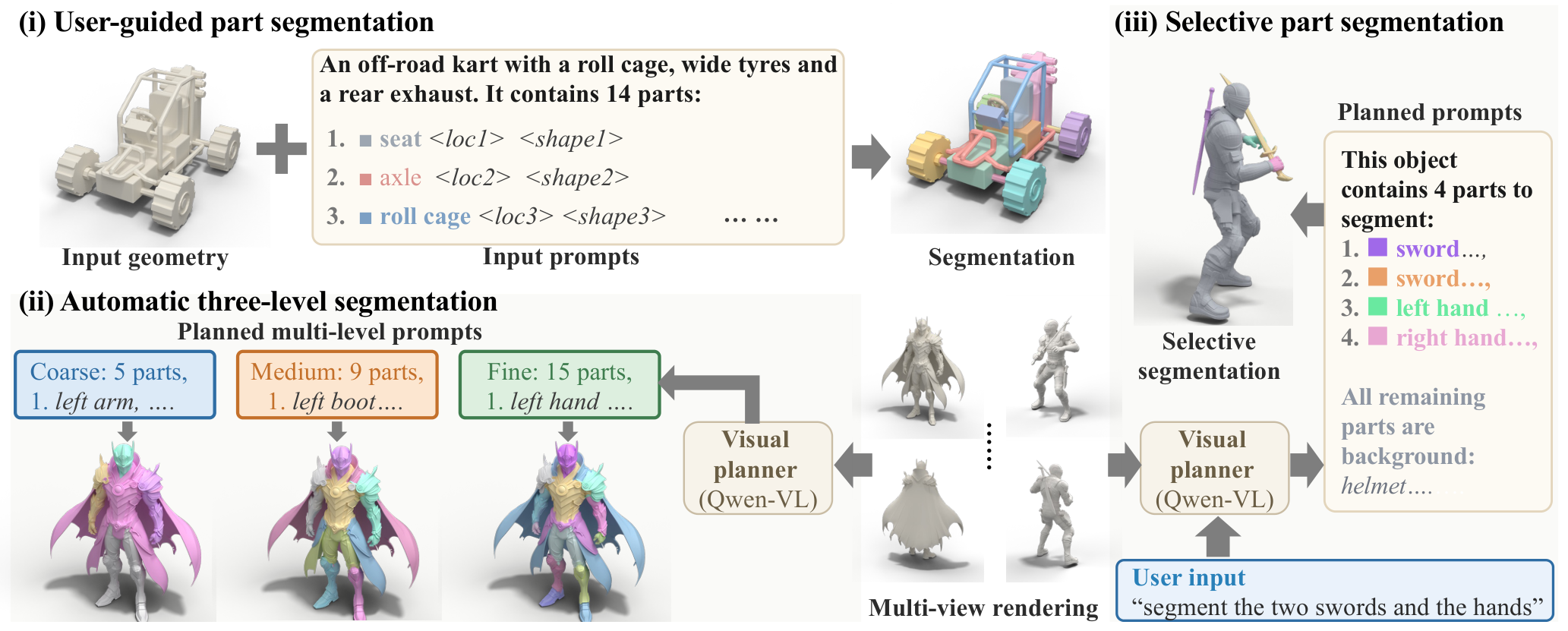
A 3D asset admits many useful decompositions. FlexPart lets text specify both how finely to divide a mesh and which semantic parts to extract. A control prompt lists part names with location and shape descriptions; the model assigns discrete part identities directly to the mesh faces.
One segmentation model supports manually authored prompts, automatic coarse-to-fine partitions, and selective extraction. An optional visual planner completes the prompt from mesh renderings and a simple user request.
01 / METHOD
Text controls a native 3D part-identity field.
A shared representation connects geometry, semantic part descriptions, and the desired partition.
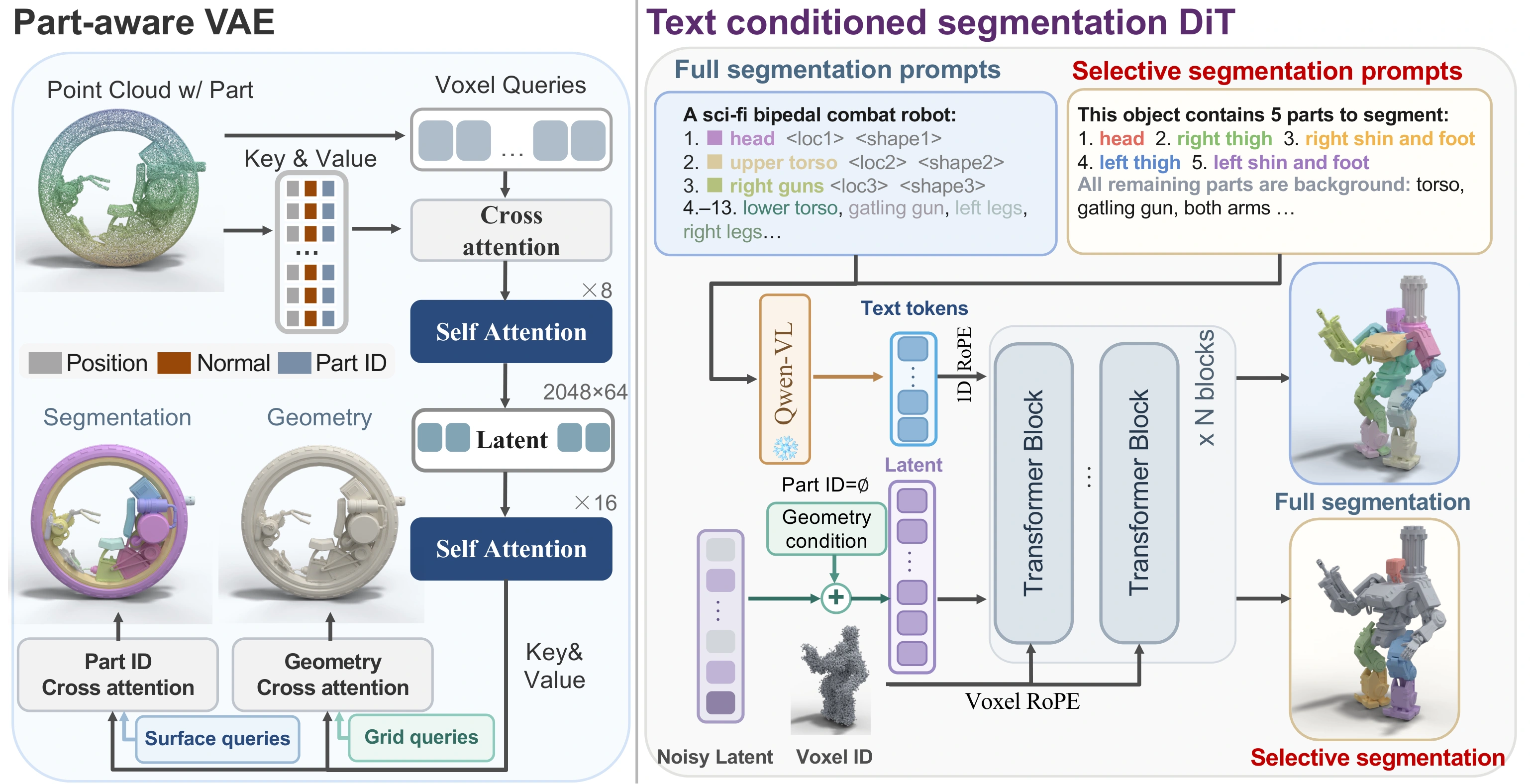
Method overview. A part-aware VAE represents geometry and part identity. A diffusion transformer conditions on geometry and encoded text to generate the part-ID field; querying mesh face centers yields the segmentation. Full and selective decompositions differ in their control prompts, with an explicit background item for selective inputs. Figure 2 in the paper ↗
Describe the partition. Part names, locations and shapes specify the desired label space.
Generate the identity field. Text and geometry jointly condition the same diffusion model.
Label the original mesh. Face-center queries assign discrete part IDs directly in 3D.
02 / TEXT CONTROL
Three ways to ask. One model to answer.
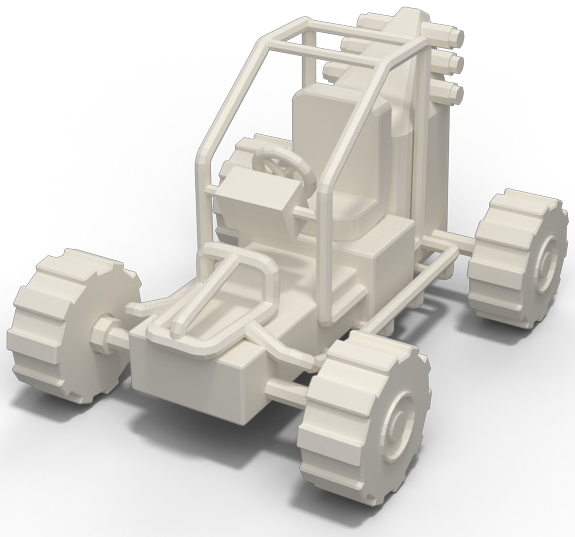
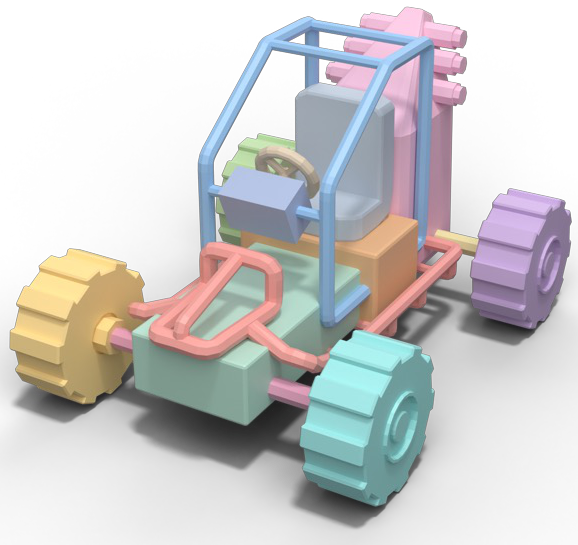
Geometry + a control prompt → FlexPart → a 3D part partition.
Change the prompt to change the granularity. All three partitions use the same input geometry and the same segmentation model.
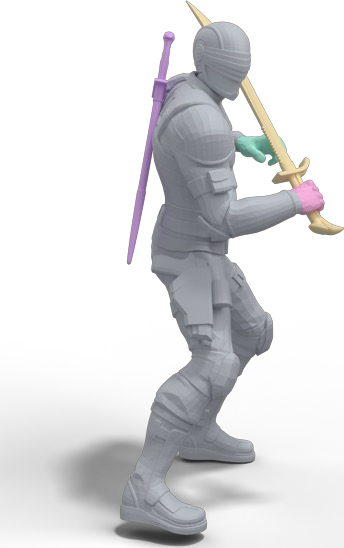
“Segment the two swords and the hands.”
The visual planner turns the request and mesh views into a control prompt.
Planned prompt
1. sword on the back 2. sword in the hand 3. left hand 4. right hand
All remaining parts: background.
FlexPart · selective segmentation
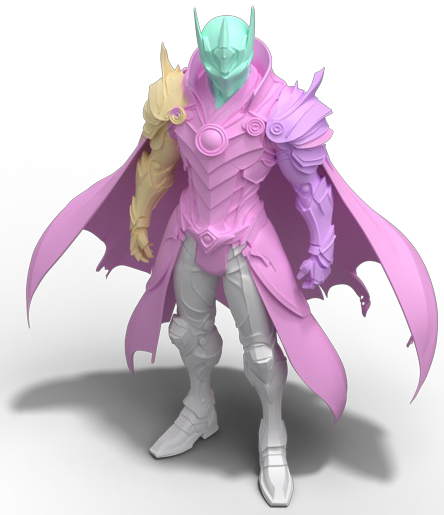
Name what matters. The selected parts receive distinct labels and the prompt explicitly assigns the remaining parts to background.
The three workflows in the paper teaser. The visual planner writes prompts; FlexPart performs the 3D segmentation.
03 / EXPERIMENTS
Semantic parts, at the requested scale.
Selected main-paper results on full, multi-granularity and selective segmentation.
Part segmentation on PartObjaverse-Tiny
Recover the requested semantic parts across diverse object shapes.
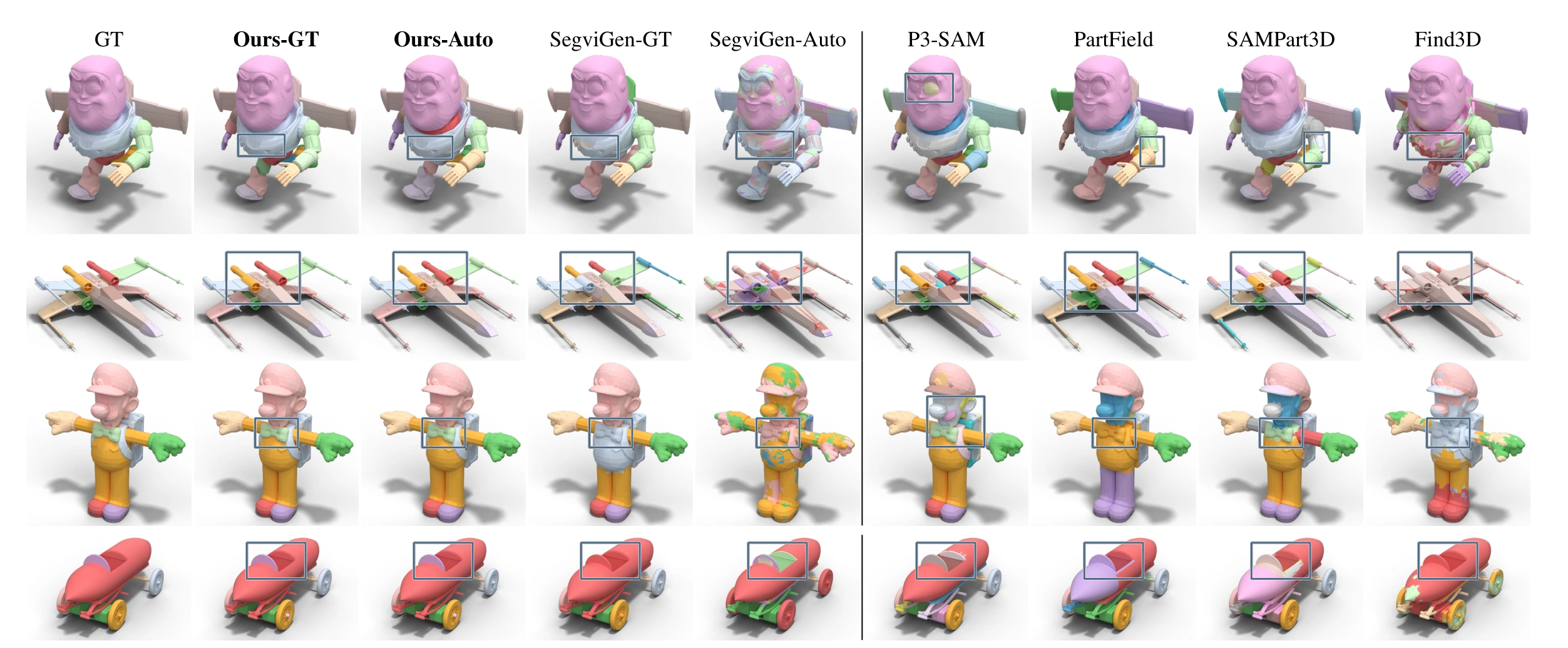
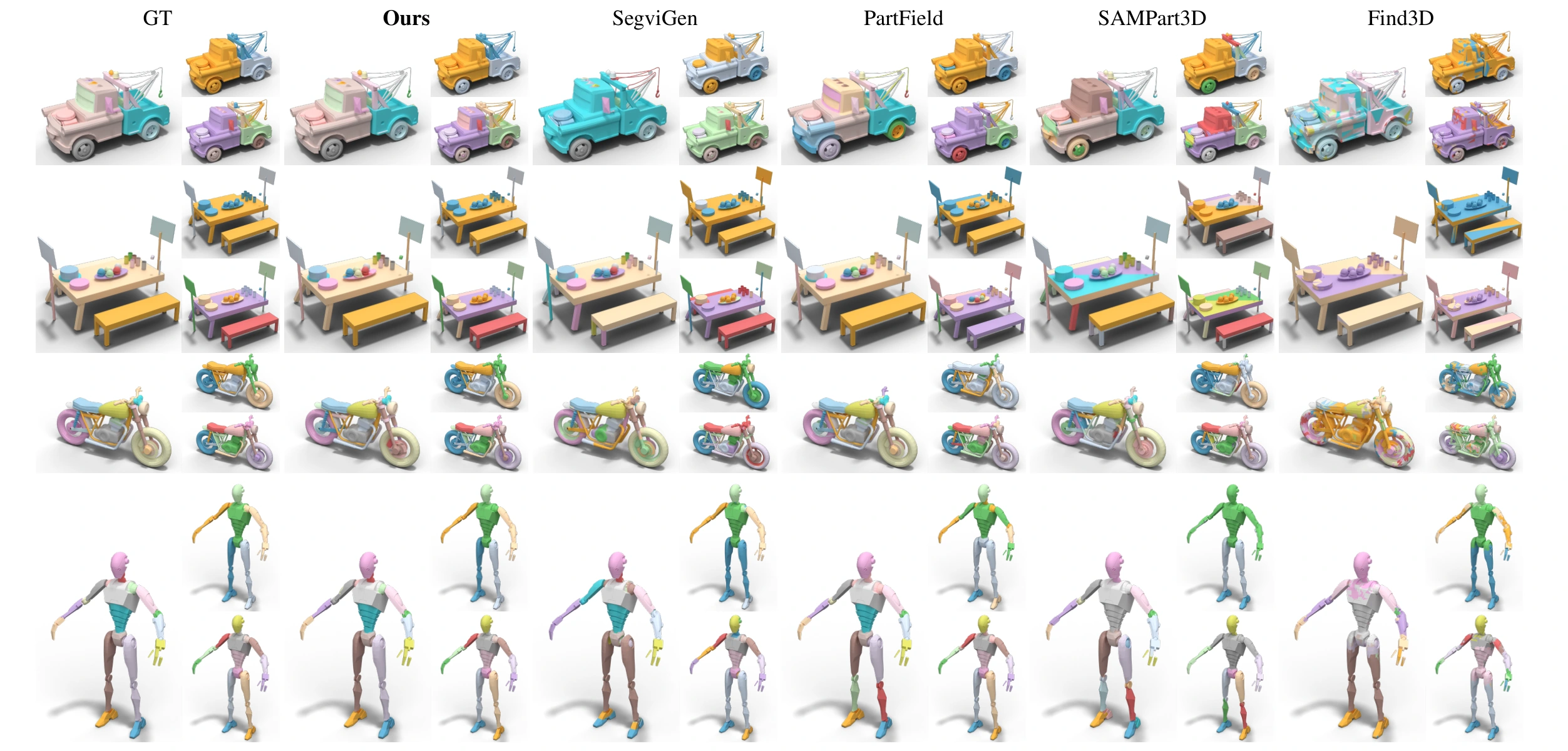
Full-partition comparison. “-GT” uses annotated conditions: part descriptions for FlexPart and a rendered guidance map for SegviGen. “-Auto” uses planner-completed prompts or predicted maps; other baselines use their native inputs. Figure 3 ↗
Planner-completed prompts achieve 0.681 mIoU, compared with 0.594 for SegviGen supplied with ground-truth guidance, under the paper’s watertight evaluation protocol. Table 1 ↗
Multi-granularity control on FlexPartBench
Change the item list to move from broad assemblies to fine semantic parts.
The same geometry, different prompts. Within each method block, fine is the large panel, coarse is at the upper right, and medium is at the lower right. Baselines receive the inputs described in the paper, including ground-truth part counts for PartField and guidance maps for SegviGen. Figure 4 ↗
FlexPart scores 0.763 / 0.635 / 0.511 mIoU at coarse / medium / fine granularity, averaging 0.637 on the held-out benchmark. Table 2 ↗
Selective segmentation and design choices
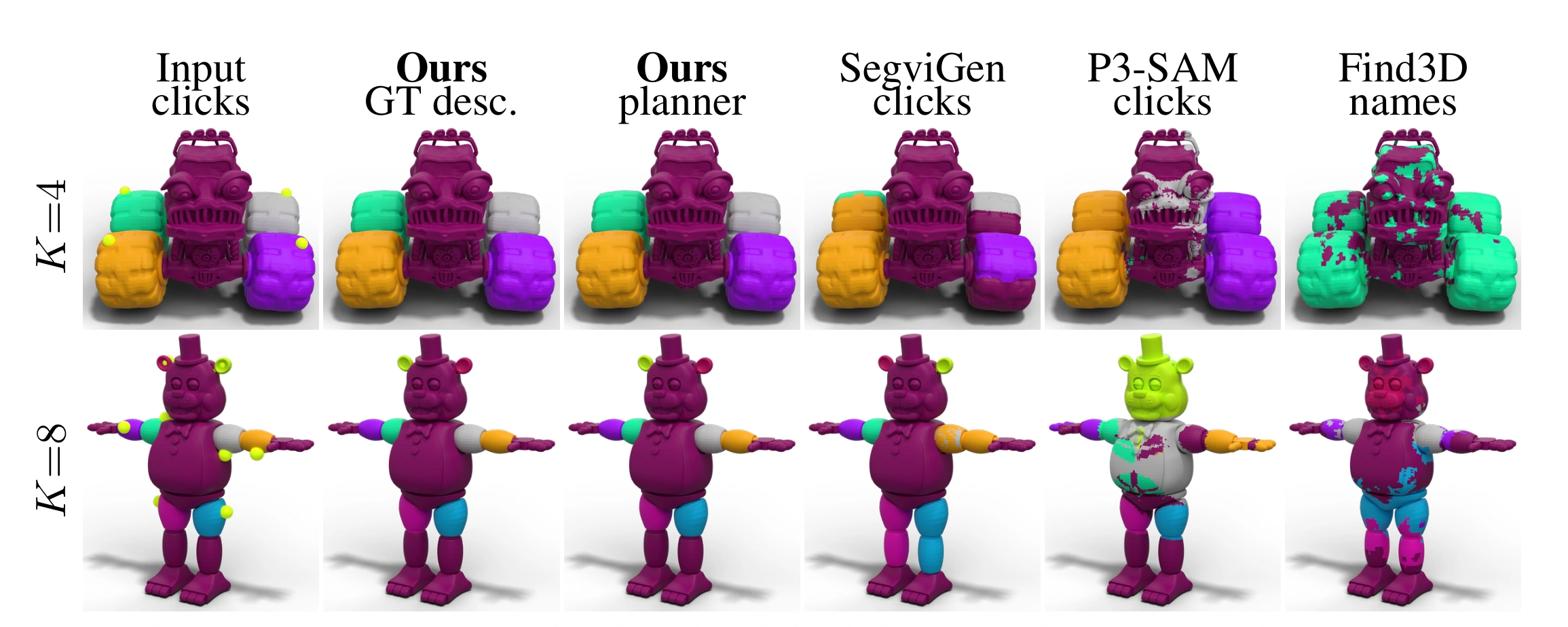
Extract the named parts and assign the remainder to one background region.
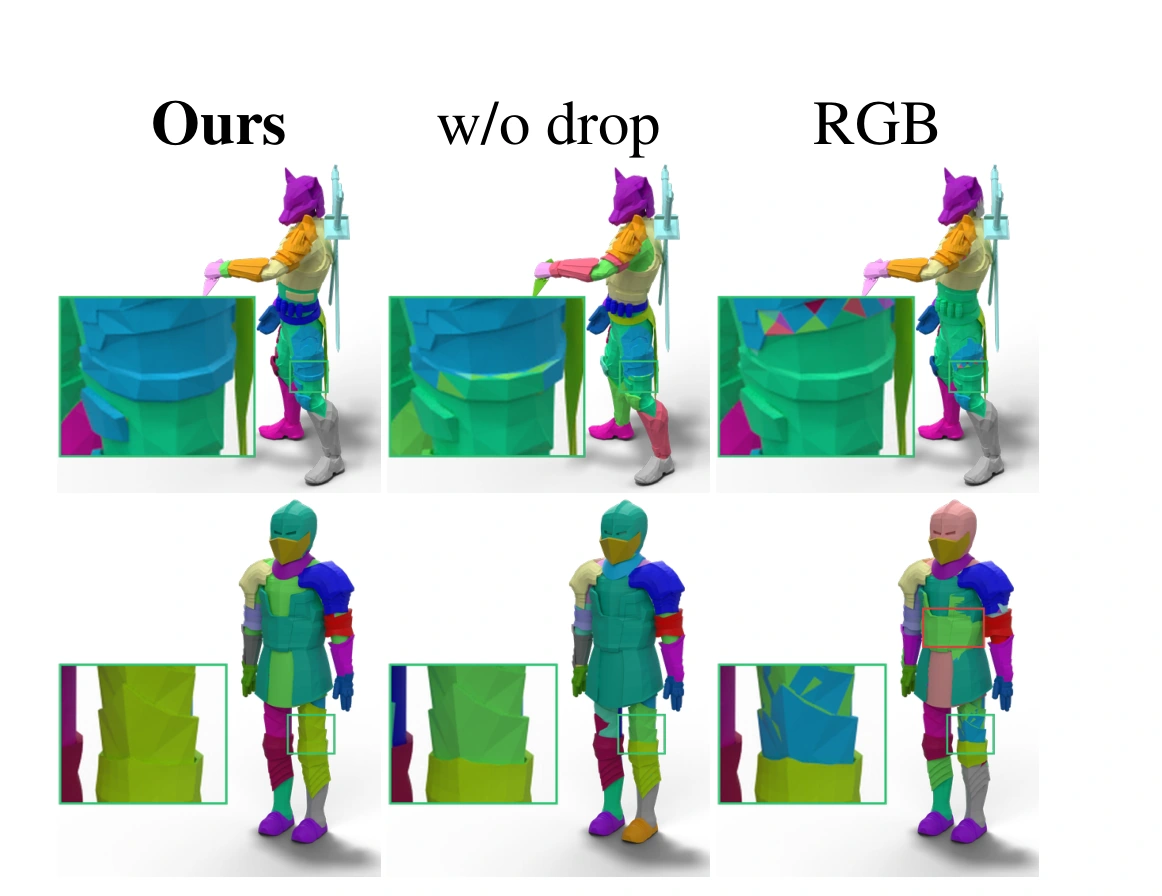
Selective segmentation. The two FlexPart columns use the same model with annotated or planner-written descriptions. Click-driven baselines receive points inside the requested parts; Find3D receives names. Unrequested parts share one background region. Figure 5 ↗Why part IDs and background dropping? The paper’s ablations illustrate fragmentation with RGB targets and reduced accuracy without drop-to-background training. Figure 6 ↗
04 / GENERALIZATION TO AIGC ASSETS
Flexible parts on generated geometry.
Four Hunyuan3D 3.1 assets from the paper, each shown at coarse, medium and fine granularity.
Coarse → Medium → Fine
Tracked machine
Coarse Medium Fine
Sci-fi blaster
Coarse Medium Fine
Armored character
Coarse Medium Fine
Winged robot
Coarse Medium Fine
Three granularities, side by side. A fixed camera and synchronized model rotations make the parts easy to compare.
05 / PAPER
FlexPart
Text-Controlled Semantics-Aware 3D Part Segmentation at Flexible Granularity